
Displays a breakdown of sales and order count for each vendor.
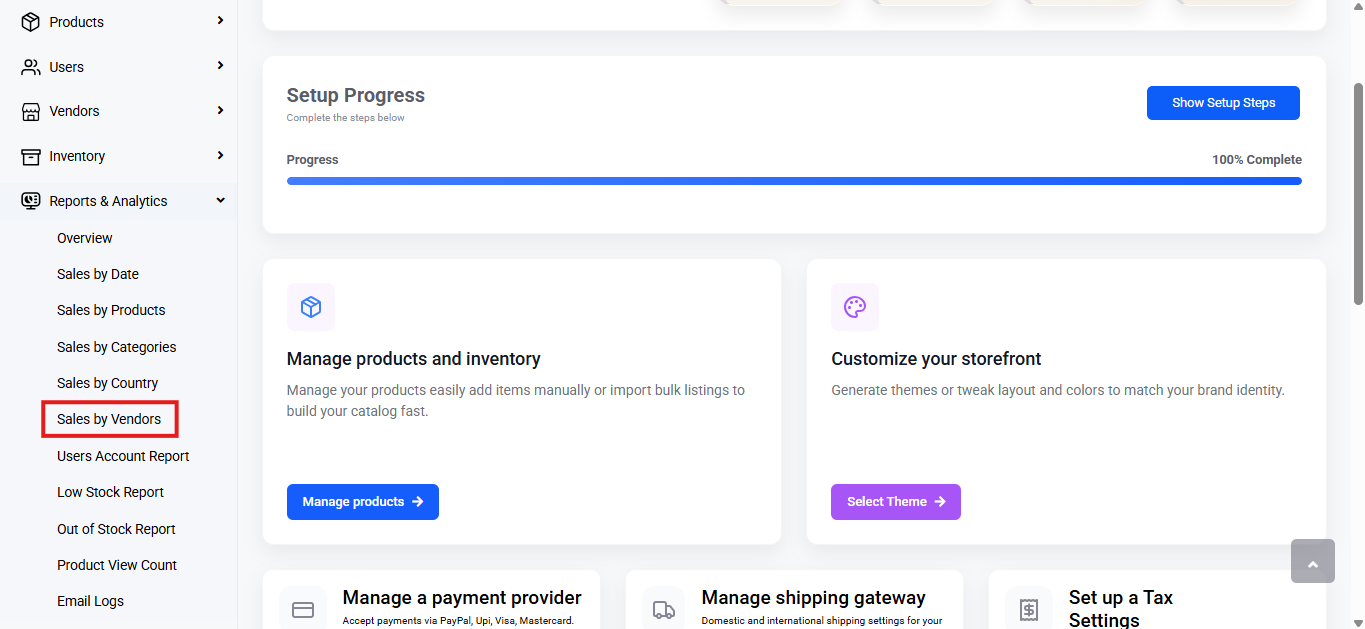
To view sales by vendors, follow these steps:
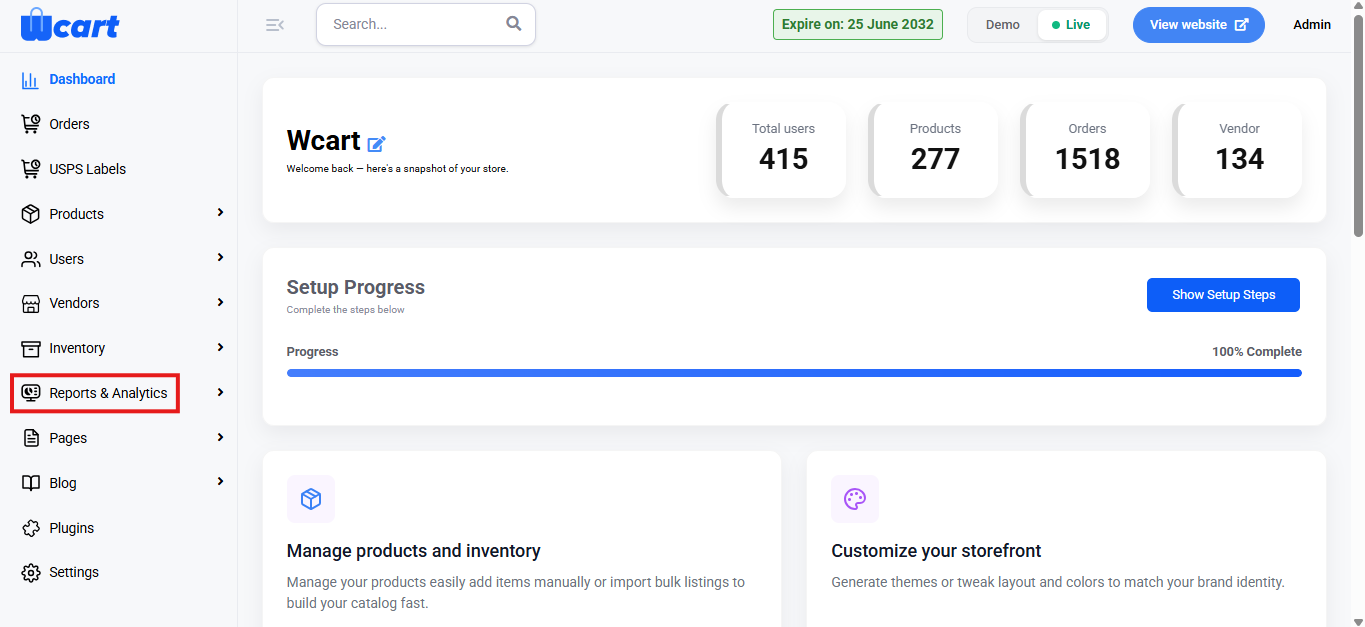
- Navigate to the sidebar menu and select ‘Reports & Analytics’.
- Select ‘Sales by Vendors’ from the submenu.
Range Selector
Purpose: Allows you to filter the dashboard data based on a specific time period.
Options Available:
- Today
- Yesterday
- This Week
- Last Week
- This Month
- Last Month
- Custom Range: Select Custom Range to filter data for a specific period.
- Choose start (From) and end (To) dates.
- Click Submit to apply.
- All reports will update based on the selected range.
When a range is selected, all data in the dashboard is updated accordingly.
Report Table:
Shows the following columns:
- Product Name: Name of the product from the vendor
- Order ID: Unique identification number for the order
- Order Date: Date the order was placed
- Order Quantity: Number of units ordered for the product
- Sales: Total sales amount for the product
- Action: Clicking the View button redirects to the Orders Page for further details.
Export
Click ‘Export’ at the top-right corner to export the data. Click Export to download the report.
File Types Available:
- CSV
- Excel
Choose a format and click Export to download.
It enables efficient tracking and analysis of sales and order performance by vendor, providing valuable insights that support informed decision-making and improve overall operational efficiency.