
Affiliate Program
The Affiliate Program enables you to manage and monitor affiliate activities from a single dashboard. It allows you to onboard affiliates, track visits and commissions, process payouts, and configure commission rules with ease. Through detailed reports and earnings insights, the program ensures transparent performance tracking and efficient payout management, helping you build and scale a reliable affiliate network.
Sections under the Affiliate Program:
- Dashboard
- Affiliate Users
- Visits Report
- Commissions
- Payments
- Commission Rule
- Settings
- Affiliate Earnings
- Processing Payouts
- Paid Payouts Earnings
In this section, the Dashboard is explained. The other sections are detailed on other pages. The links for those are given at the end of this section.
Dashboard
Monitor your affiliate program performance for any time‑period you choose.
To configure, follow these steps:
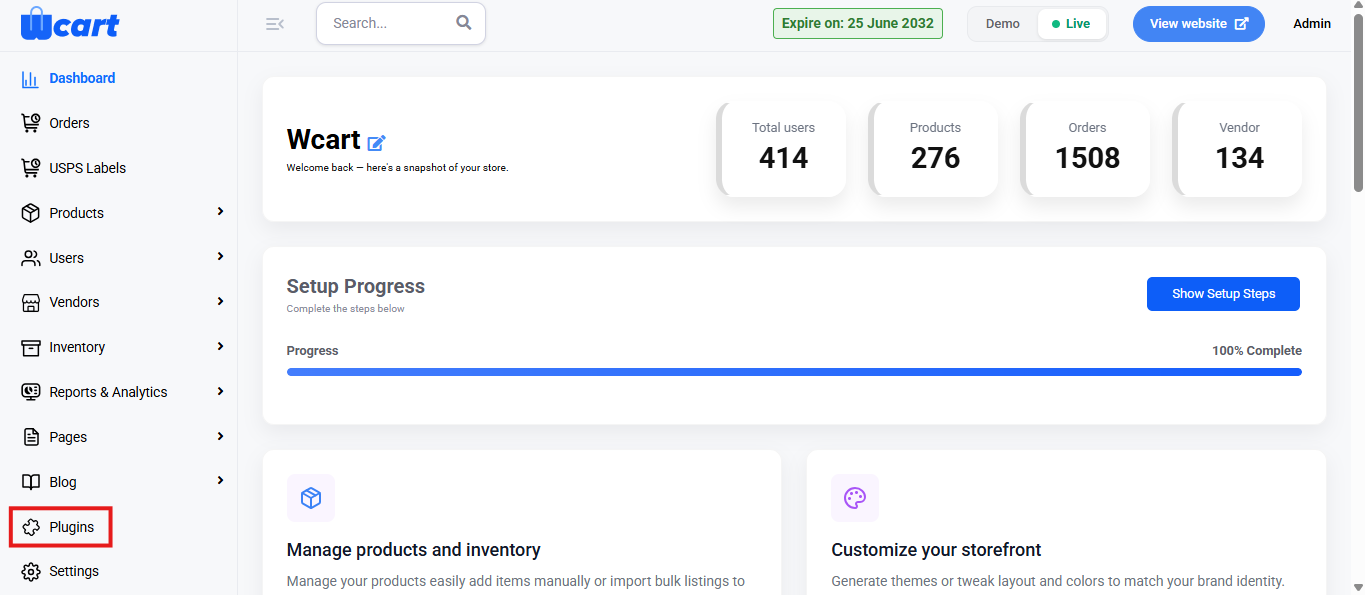
- Navigate to the sidebar menu and select ‘Plugins’.
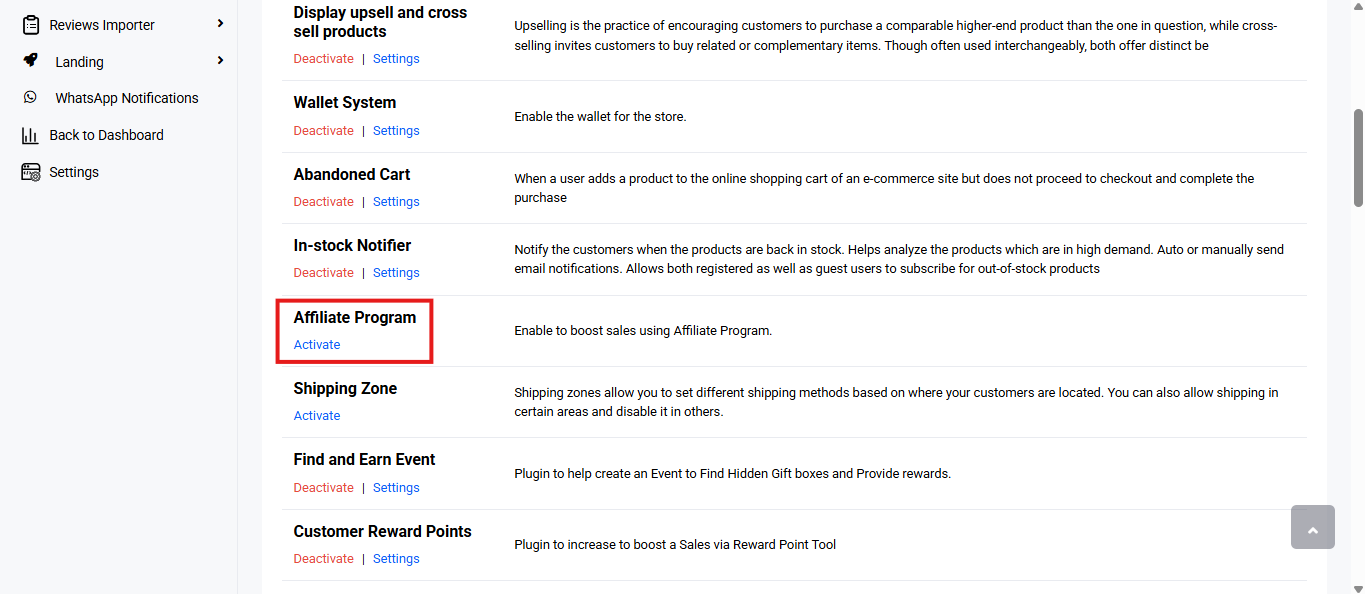
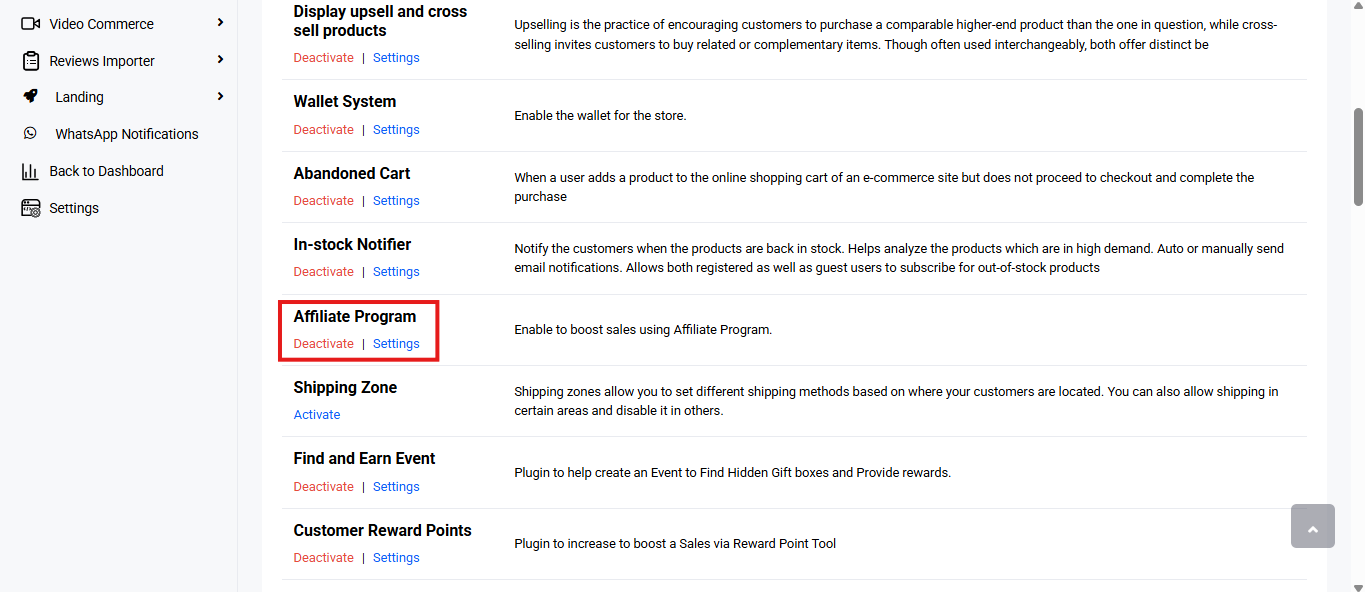
- Locate ‘Affiliate Program’ and click ‘Activate’. You will now see two options: ‘Deactivate’ and ‘Settings’. When you click ‘Activate’ or ‘Deactivate’, a toast notification showing ‘Affiliate Program Plugin Activated’ or ‘Affiliate Program Plugin Deactivated’ will appear to confirm that the plugin has been activated or deactivated. You can configure ‘Affiliate Program’ by clicking ‘Settings’ or by selecting ‘Affiliate Program’ from the left sidebar menu after activation.
- Select ‘Dashboard’.
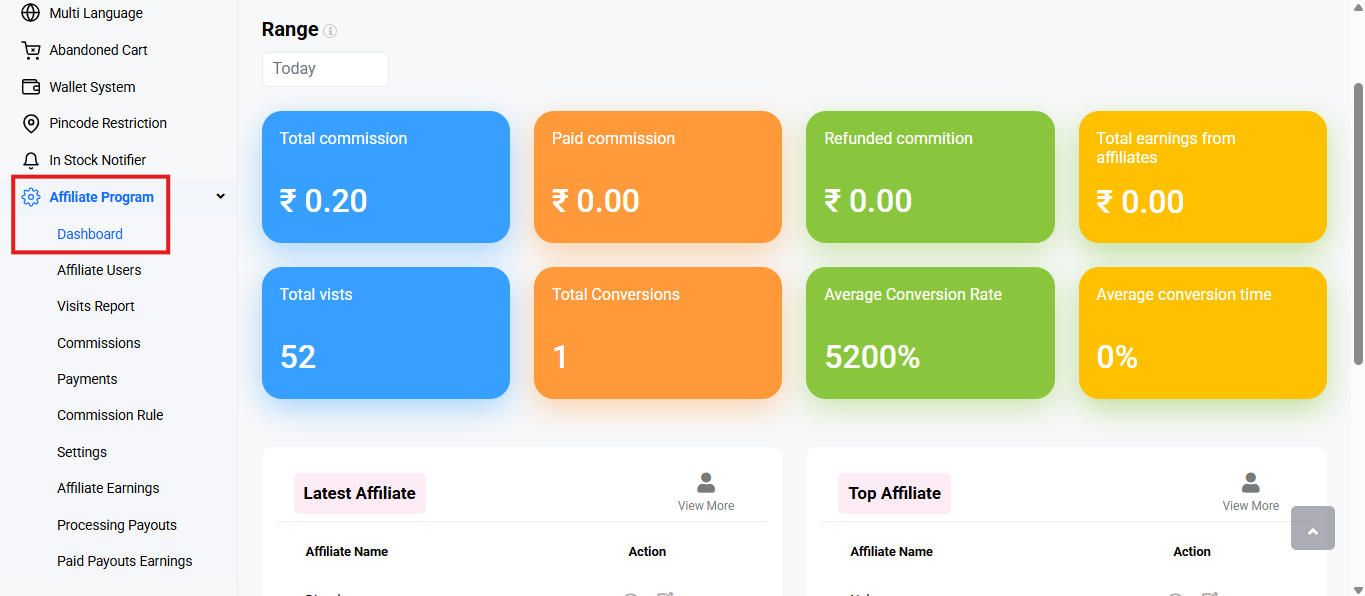
Range: Dropdown list to filter all dashboard data by date. The options are:
- Today
- Yesterday
- This Week
- Last Week
- This Month
- Last Month
- Custom Range: Selecting this option reveals two date pickers (From / To) and a Submit button. Choose the start and end dates, then click ‘Submit’ to refresh the dashboard with data for the selected period.
The following ones highlight key metrics related to affiliate performance during the selected period:
- Total commission: Shows the total commission (unpaid + paid) generated by affiliates for the selected period.
- Paid commission: Displays the portion of commission that has already been paid out to affiliates.
- Refunded commission: Commission value that was reversed because the underlying orders were refunded.
- Total earnings from affiliates: Total revenue your store earned from orders referred by affiliates.
- Total visits: Number of visits brought in by affiliate links.
- Total conversions: Number of orders generated from those visits.
- Average Conversion Rate: Percentage of visits that turned into orders.
- Average conversion time: Average time elapsed between a referral visit and its resulting order.
Latest Affiliate
This panel shows the most recently registered affiliate user.
Table Columns:
- Affiliate Name: Full name of the latest registered affiliate.
- Action: Provides two options to manage the affiliate:
- View: Displays an affiliate’s profile, earnings summary, commission details and payment history in one place.
- Edit: Modify and save basic details, affiliate information and affiliate’s bank details.
- Basic Details
- Name – The full name of the affiliate user registered in the system.
- Email – The primary email address used for affiliate communication and notifications.
- Phone Number with Country Code – The affiliate’s contact number along with the international dialing code.
- Gender – Used for basic profile information and demographic reference.
- DOB – The affiliate’s date of birth, captured for identity and eligibility purposes.
- Affiliate Info
- Tell us something about you – A short description about the affiliate, including background, experience, or area of interest.
- How will you promote our site? – The main channel the affiliate plans to use for promotion, such as a website, blog, or other platforms.
- Specify how you will promote our site – A detailed explanation of the promotional approach, content type, and marketing methods.
- Website – The official website or blog URL where affiliate links will be published.
- Social Profiles – Links to social media accounts used for affiliate promotions.
- Bank Details
- Account Holder – The name of the individual or entity that owns the bank account.
- Bank Account Number – The account number where affiliate commission payouts will be credited.
- Bank Name – The name of the bank associated with the provided account.
- Bank Branch – The specific branch of the bank where the account is maintained.
- Bank Country – The country in which the bank account is registered.
- IFSC Code – The bank’s IFSC code required to process domestic transfers accurately.
- Submit: Click to save the update. A toast notification ‘User Details Updated Successfully’ will appear to confirm the update.
- Basic Details
- View More: Clicking the ‘View More’ icon in the top-right corner will redirect the page to..
Top Affiliate
This panel highlights the highest-performing affiliate user, based on conversions, earnings or visits.
Table Columns:
- Affiliate Name: Full name of the top-performing affiliate.
- Actions: Provides two options to manage the affiliate:
- View: Displays an affiliate’s profile, earnings summary, commission details and payment history in one place.
- Edit: Modify and save basic details, affiliate information and affiliate’s bank details. The same form fields from the ‘Latest Affiliate’ table appear on this page.
- View More: Clicking the ‘View More’ icon in the top-right corner will redirect the page to the ‘Affiliate Users’ page that lists all affiliates registered in the platform.
These dashboard insights help you track, evaluate, and optimize your affiliate program’s overall performance. Review the metrics regularly and ensure your affiliate settings are properly configured to maintain accurate reporting, improve engagement, and maximize conversions across your e-commerce platform.
Links to other ‘Affiliate Program’ navigation tabs: