
This section guides administrators through configuring and managing shipping zones effectively. By setting up these options, you can control how shipping gateways are displayed, searched, and managed, ensuring a smooth and organized workflow when handling your store’s delivery operations.
To configure, follow these steps:
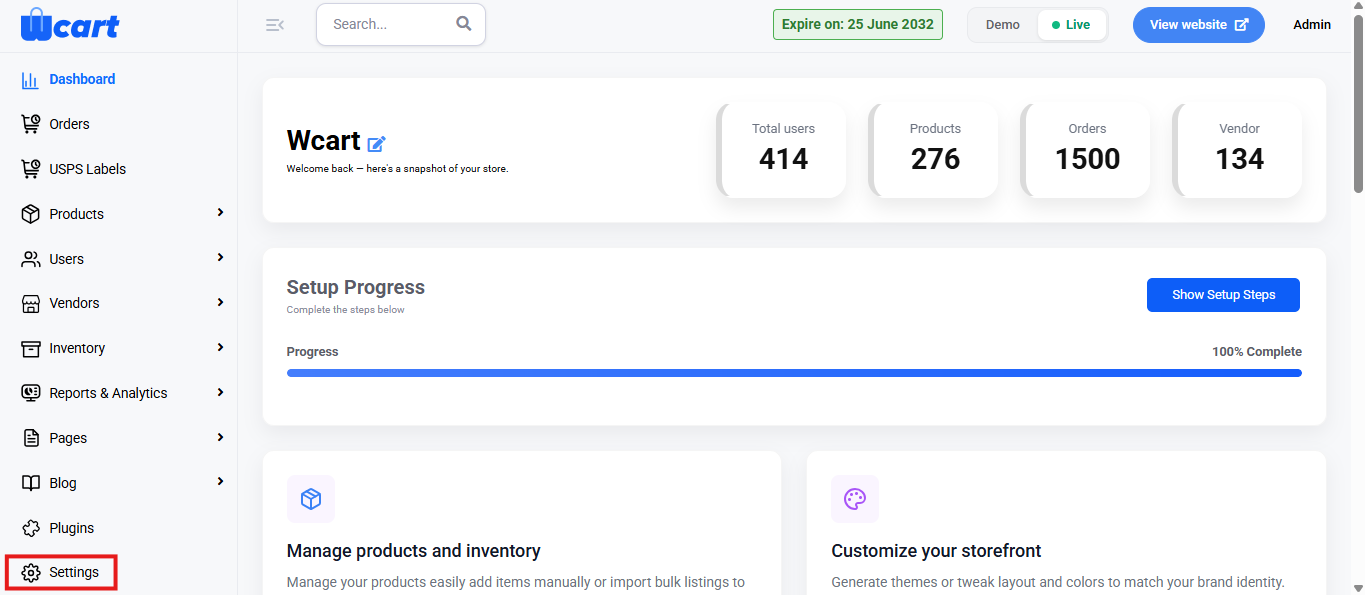
- Navigate to the sidebar menu and select ‘Settings’.
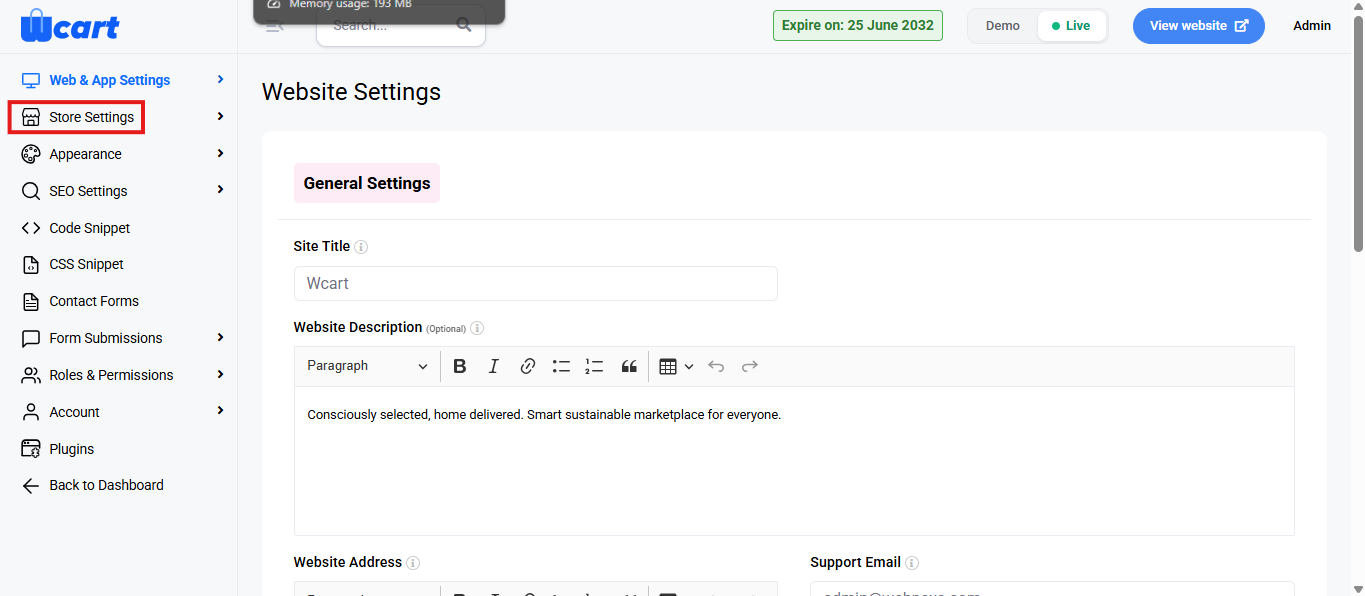
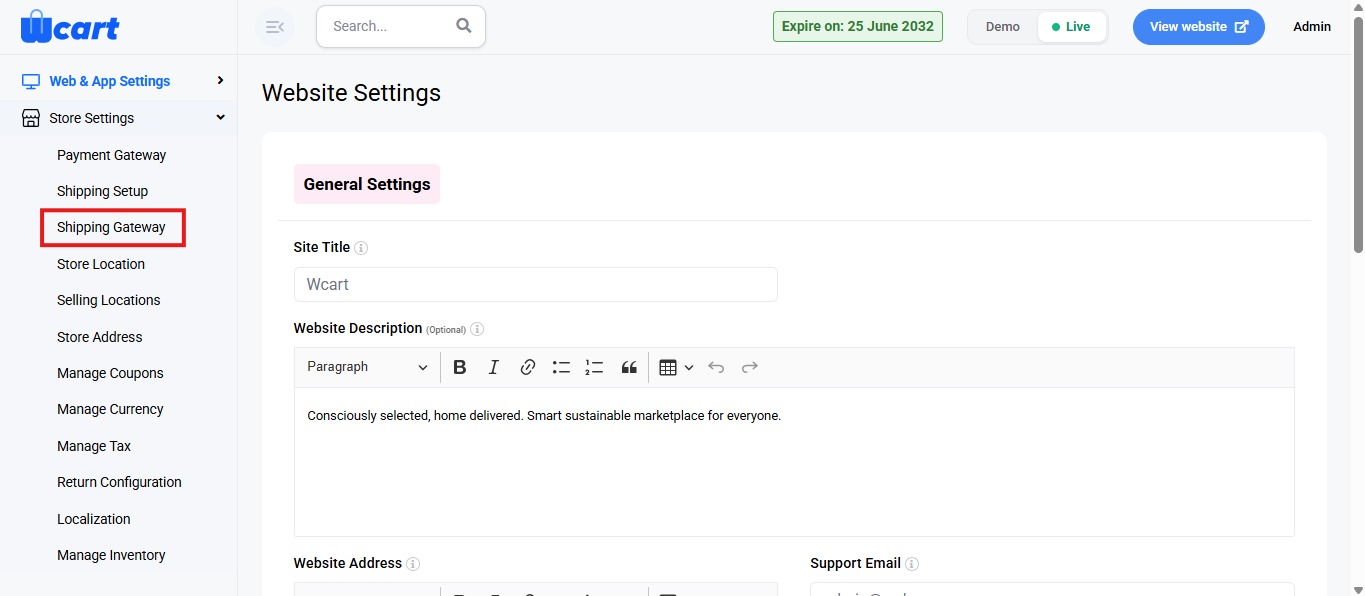
- Click ‘Store Settings’ and then select ‘Shipping Gateway’.
You will find a table with various columns to interpret shipping gateway data quickly and accurately. The columns are listed below:
- S.No: Serial number of the listed shipping gateways.
- Shipping Gateway: Displays the name of the shipping gateway.
- Status: Indicates availability of the shipping method.
- Active: Shipping method is enabled and available for use.
- Inactive: Shipping method is disabled and unavailable for use.
- Action:
- Edit: Opens the Edit Shipping Settings page to configure the selected shipping gateway. Configure the selected payment gateway. Clicking the edit icon redirects to the Edit Payment Settings page. The page contains the following fields:
- Shipping Gateway Name: Displays the name of the shipping gateway.
- Gateway Email: Enter the email ID associated with the shipping gateway.
- Key ID: Enter the API key ID provided by the shipping service provider.
- Key Secret: Enter the API secret key provided by the shipping service provider.
- Shipping Gateway Description: Add a short description of the shipping gateway for reference purposes.
- Status: Controls whether the shipping gateway is enabled or disabled.
- Active: Enables the shipping gateway for order processing and makes it available for use on the storefront during checkout.
- Inactive: Disables the shipping gateway, making it unavailable for customer orders.
- Submit: Save any changes made to the shipping gateway configuration. A toast notification ‘Shipping Gateway Settings Updated’ will appear to confirm the update.
- Cancel: Discard changes and return to the ‘Shipping Settings’ list.
By properly configuring your shipping zones and gateway settings, you streamline the delivery process and maintain full control over how shipping methods appear and function in your store. Review these settings regularly to keep your shipping operations accurate, efficient, and aligned with your overall business needs.