
This section allows you to configure the Pin code restrictions and manage related messages for your e-commerce platform.
To configure, follow these steps:
- Navigate to the sidebar menu and select ‘Plugins’.
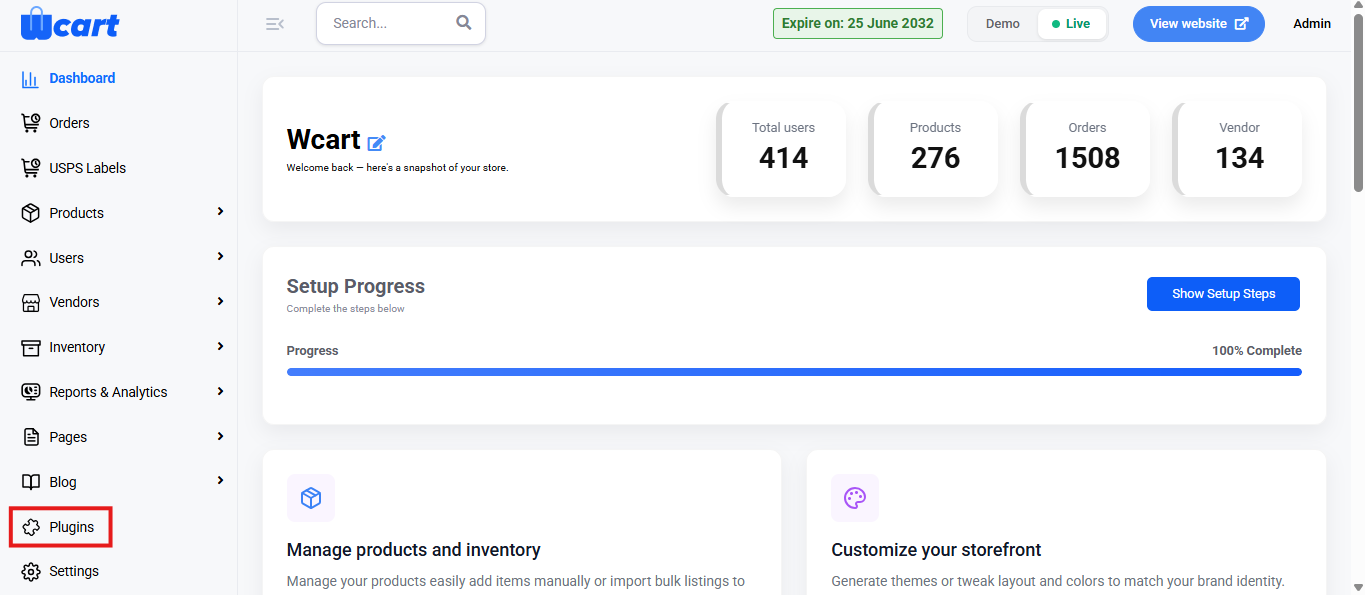
- Locate ‘Affiliate Program’ and click ‘Activate’. You will now see two options: ‘Deactivate’ and ‘Settings’. When you click ‘Activate’ or ‘Deactivate’, a toast notification showing ‘Affiliate Program Plugin Activated’ or ‘Affiliate Program Plugin Deactivated’ will appear to confirm that the plugin has been activated or deactivated. You can configure ‘Affiliate Program’ by clicking ‘Settings’ or by selecting ‘Affiliate Program’ from the left sidebar menu after activation.
Enable Pin code Restriction
This option allows you to control whether Pin code-based delivery restrictions should be applied for your store. When enabled, customers can only select products that are available for delivery in their specified Pin code area.
Field Options:
- Yes: Activates Pin code-based restriction for product delivery.
- No: Disables the Pin code restriction feature.
COD Status (Cash on Delivery)
This field helps manage the availability of Cash on Delivery (COD) for specific pin codes.
Field Options:
- Yes: COD is available for delivery in the specified Pin code areas.
- No: COD is not available for the selected Pin code areas.
Success Message Note
Customize the message displayed when a customer enters a valid Pin code where your products are available for delivery. This message assures customers that their location is serviceable.
Failure Message Note
Customize the message displayed when a customer enters an invalid Pin code or one that is not currently serviced. This helps manage customer expectations.
Delivery Day Status
This option allows you to specify whether delivery days are restricted based on Pin code. If enabled, customers may only select specific delivery days when ordering from certain regions.
Field Options:
- Yes: Restricts delivery days based on the customer’s Pin code.
- No: Delivery days are not restricted by Pin code.
Submit
After configuring all necessary settings for Pin code restrictions, click the Submit button to save your changes. A toast message ‘Pin code restriction settings updated successfully’ will appear to confirm the update.
These settings help manage Pin code-based delivery restrictions and ensure smooth operations for your store. Ensure all details are configured correctly and saved before proceeding to the next configuration section.