
This section allows administrators to set and manage product pricing details. It includes fields to define both regular and sale prices, helping display accurate pricing and promotional offers on the storefront.
You can configure prices from All Products, Vendor Products, Admin Products, or Add Products under the Products module.
To configure using All Products, Vendor Products, or Admin Products, follow these steps:
- Navigate to the sidebar menu and select Products.
- Choose one of the following options: All Products, Vendor Products, or Admin Products.
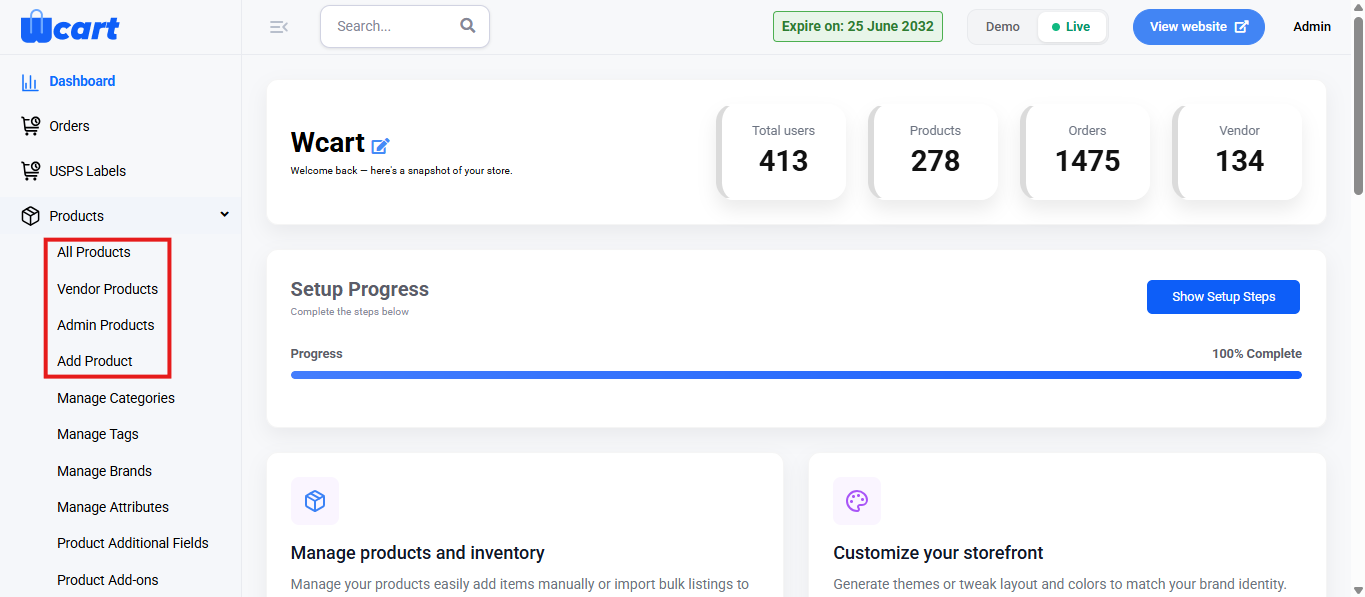
- In the product list, locate the product you want to update the price for.
- Click the Edit icon under the Action column.
- Proceed to the first page of the configuration to modify and save your pricing details.
- In the pricing section, enter the Regular Price and Sale Price for the product as needed.
To set prices for a new product, follow these steps:
- Navigate to the sidebar menu and find the Products section.
- Click Add Product.
- Select the desired Product Type from the dropdown and click Submit.
- Proceed to the pricing section on the first page of the configuration.
- Enter the Regular Price and Sale Price to define the standard and discounted product prices.
In both scenarios, you will find the following form fields:
Fields and Actions
- Regular Price: Enter the standard product price displayed on the storefront.
- Sale Price: Specify a discounted price to display promotional offers or limited-time discounts.
- Save & Continue: Click to save your pricing updates. The following toast notifications will appear confirming the update based on the product type when you edit an existing product:
- Updated Simple Product Successfully
- Updated Variable Product Successfully
- Updated Downloadable Product Successfully
The below notifications will appear based on the product type if you are adding the price while creating a new product:
- Added Simple Product Successfully
- Added Variable Product Successfully
- Added Downloadable Product Successfully
These settings ensure accurate pricing is displayed for every product type. Review and update prices regularly to reflect promotions and maintain transparent, consistent pricing across your storefront.