
This module allows you to reward customers with points for purchases and let them redeem those points on future orders. This section helps you configure how points are earned, redeemed and displayed on the storefront.
To configure, follow these steps:
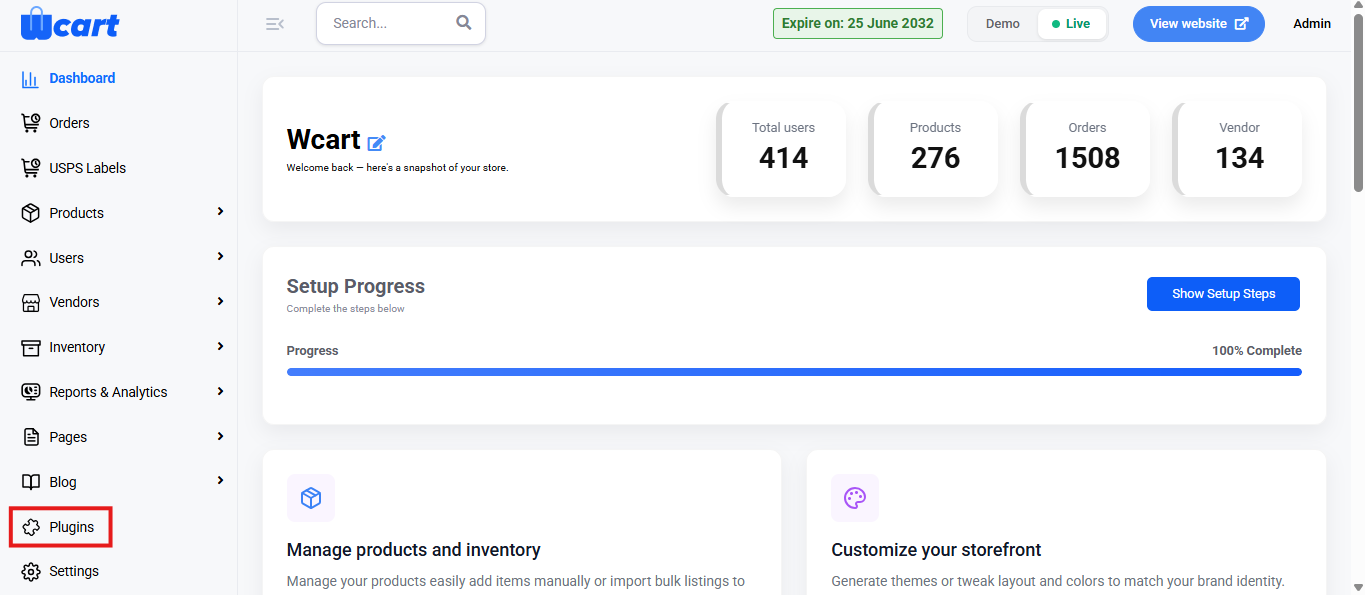
- Navigate to the sidebar menu and select ‘Plugins’.
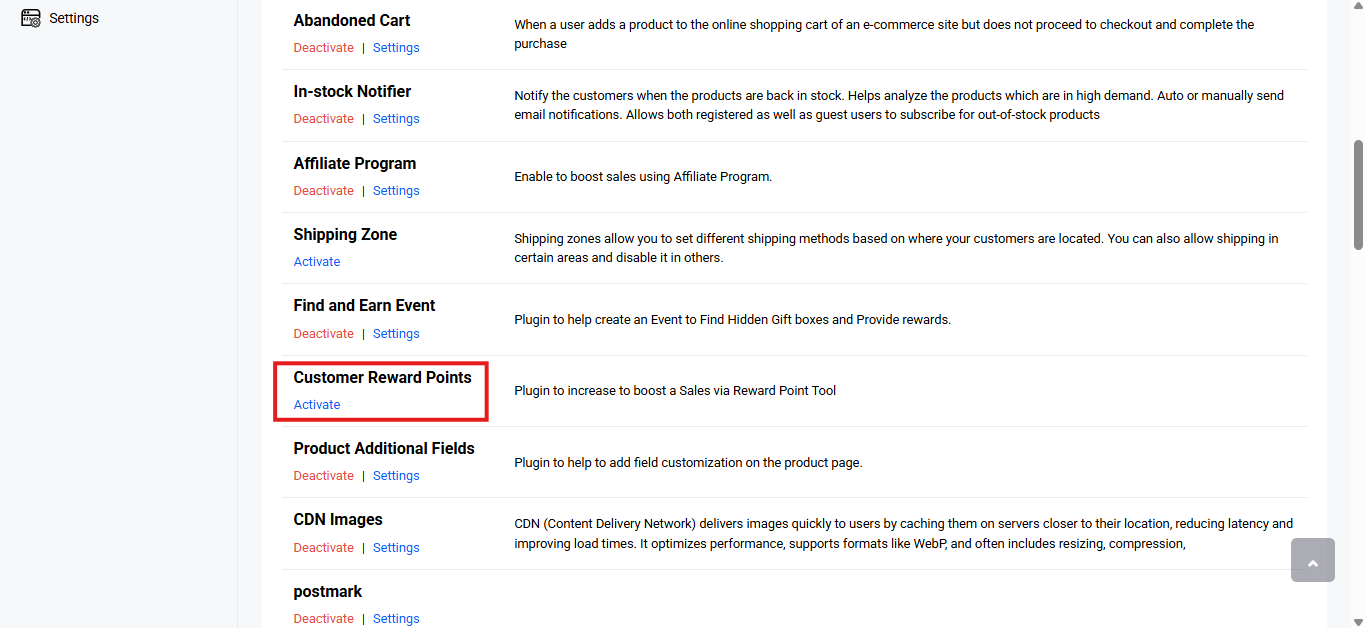
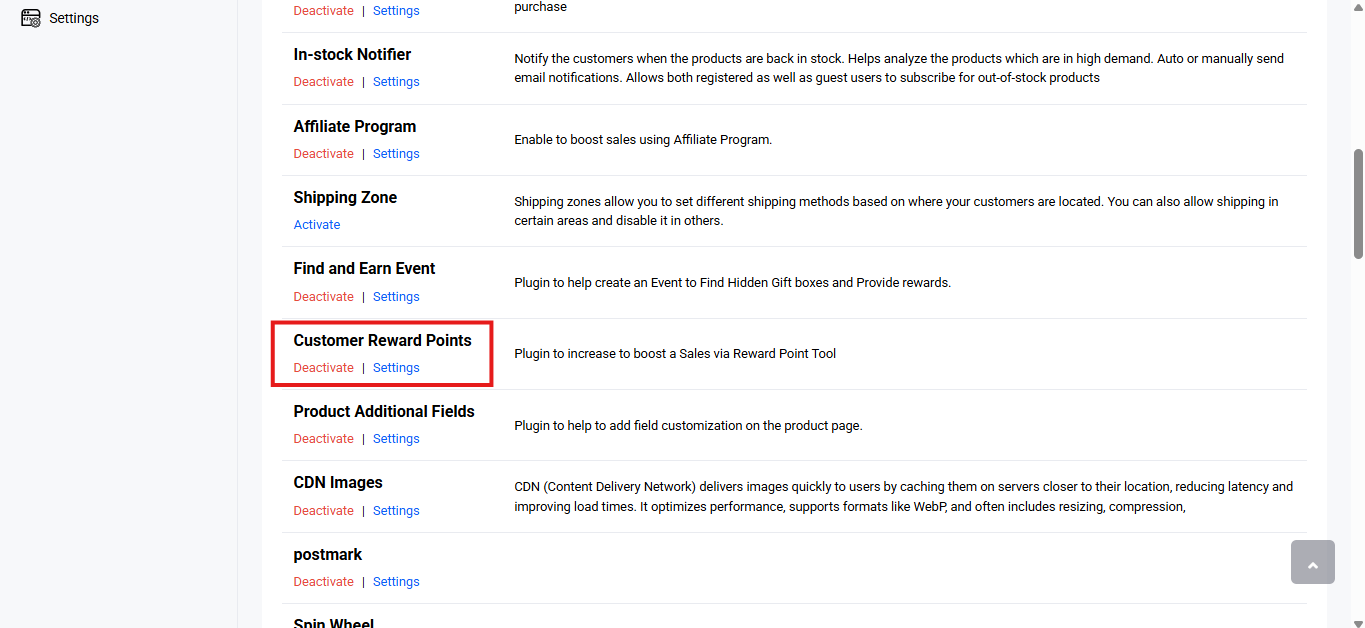
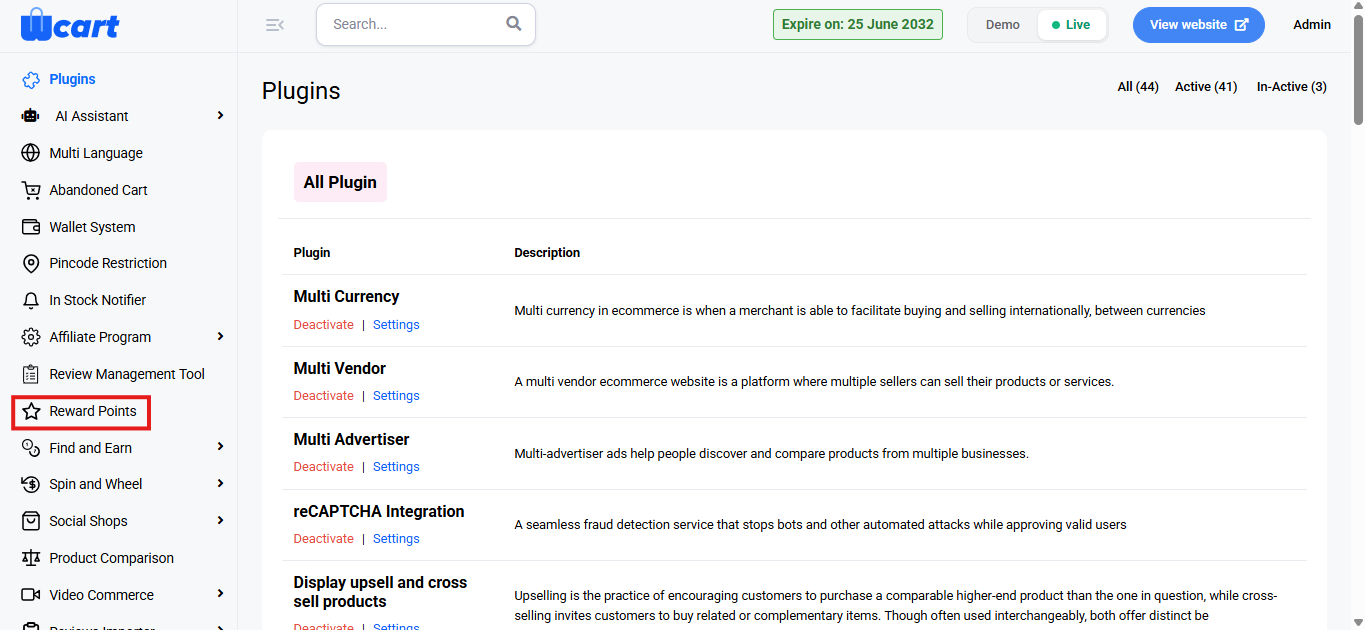
- Locate ‘Customer Reward Points’ and click ‘Activate’. You will now see two options: ‘Deactivate’ and ‘Settings’. When you click ‘Activate’ or ‘Deactivate’, a toast notification showing ‘Customer Reward Points Plugin Activated’ or ‘Customer Reward Points Plugin Deactivated’ will appear to confirm that the plugin has been activated or deactivated. You can configure ‘Customer Reward Points’ by clicking ‘Settings’ or by selecting ‘Reward Points’ from the left sidebar menu after activation.
Point Earning Settings
These settings control how customers earn reward points.
- Display Text: Text shown on the frontend to represent reward points.
- Amount for Unit Point: Defines the order value required to earn 1 reward point.
- Maximum Point per Order: Sets the maximum number of points a customer can earn from a single order.
- Expiry Period: Determines how long reward points remain valid.
Point Redeem Settings
These settings define how customers can redeem earned points.
- Redeem Amount per Unit Point: Specifies the monetary value of 1 reward point during redemption.
- Minimum Order Total Redeem: Minimum cart value required to allow point redemption.
- Minimum Redeem Point per Order: Minimum number of points required to redeem in an order.
- Maximum Redeem Point per Order: Maximum number of points that can be redeemed in a single order.
Frontend Visibility Settings
Controls how reward points are shown on the store frontend.
- Show in Product Page: Choose Yes to display reward point information on product pages.
- Placement Area: Select where the reward point information appears on the product page.
Save Settings
- Click Submit to save all configurations. A toast notification ‘Updated Reward Point Settings Successfully’ will appear to confirm the update.
Reward Points help increase customer engagement, encourage repeat purchases, and build long-term loyalty by offering incentives for shopping.