
Tracks abandoned shopping carts and helps in recovering lost sales by reminding users via email or notifications.
To configure, follow these steps:
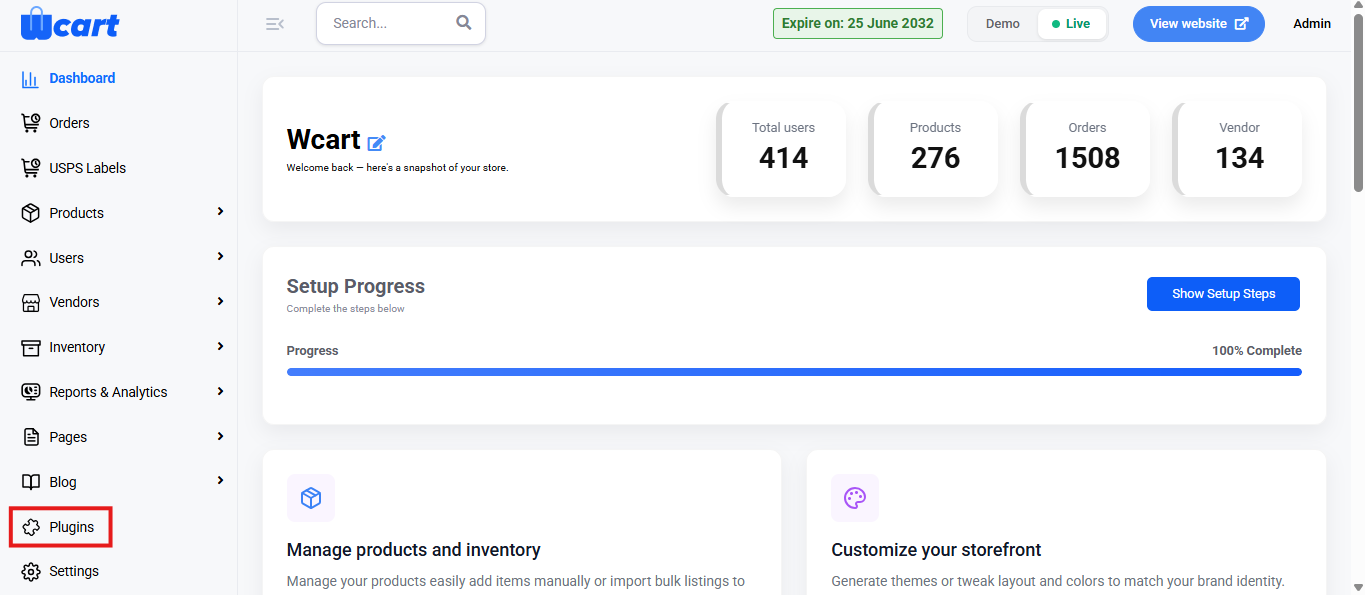
- Navigate to the sidebar menu and select ‘Plugins’.
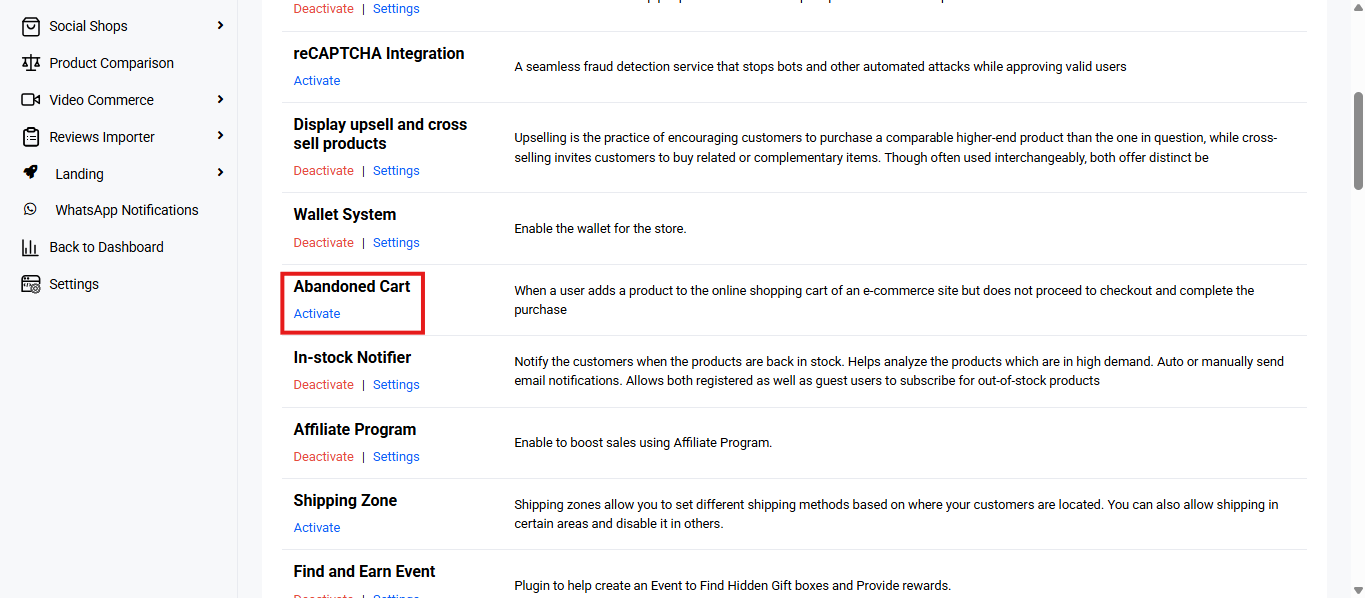
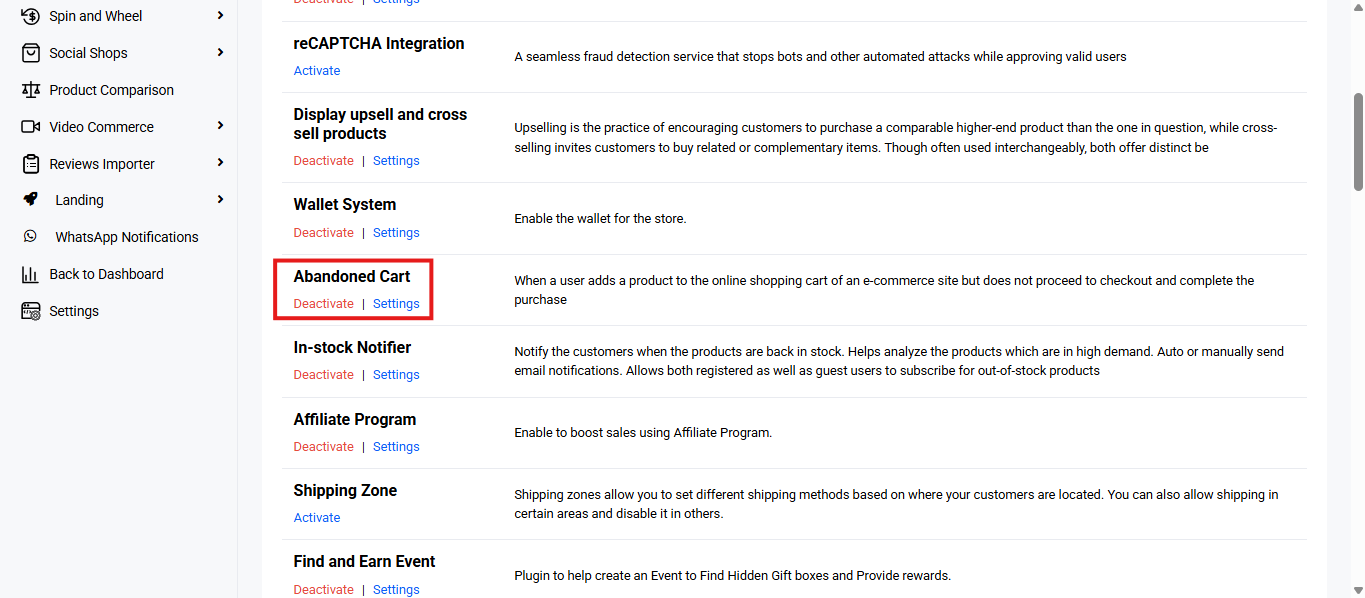
- Locate ‘Abandoned Cart’ and click ‘Activate’. You will now see two options: ‘Deactivate’ and ‘Settings’. When you click ‘Activate’ or ‘Deactivate’, a toast notification showing ‘Abandoned Cart Plugin Activated’ or ‘Abandoned Cart Plugin Deactivated’ will appear to confirm that the plugin has been activated or deactivated. You can configure the ‘Abandoned Cart’ settings by clicking ‘Settings’ or by selecting ‘Abandoned Cart’ from the left sidebar menu after activation.
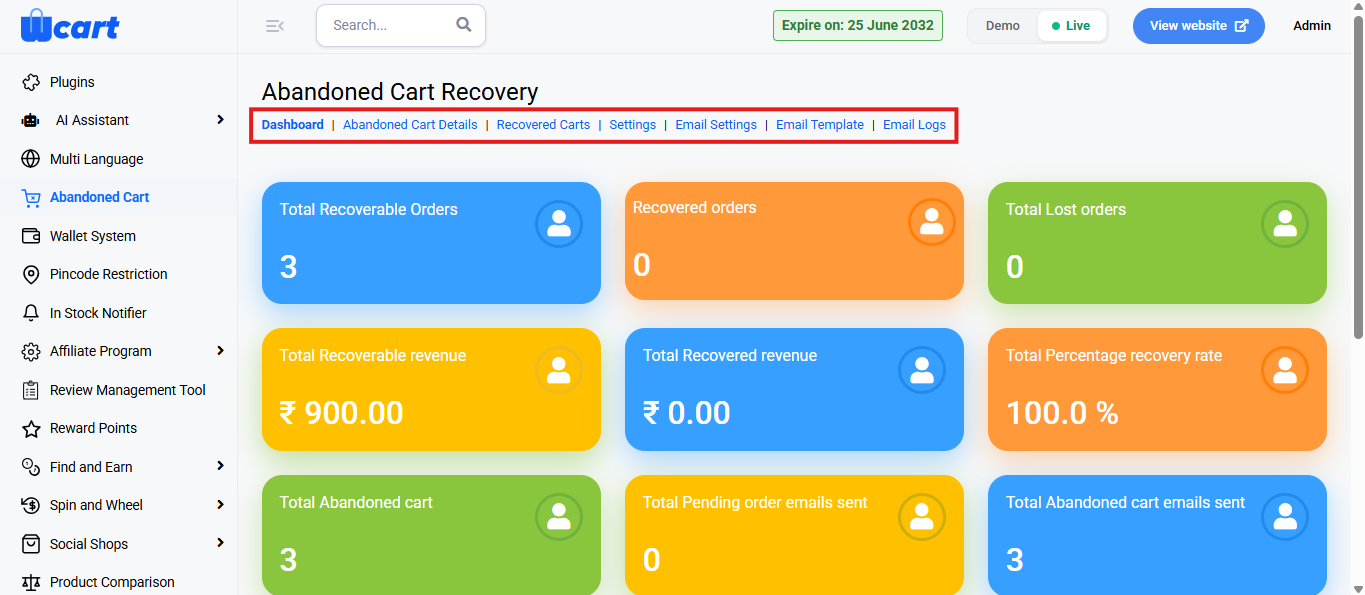
This module contains multiple navigation tabs at the top, each leading to a different section for managing and tracking recovery efforts.
The tabs include:
- Dashboard
- Abandoned Cart Details
- Recovered Carts
- Settings
- Email Settings
- Email Template
- Email Logs
In this section, Dashboard and Abandoned Cart Details are explained. The other navigation tabs are detailed on other pages. The links for those are given at the end of this section.
Dashboard: Each colored card presents a key performance indicator related to abandoned cart activity:
- Total Recoverable Orders: Number of carts with potential for recovery, left unfinished by users adding items but not completing checkout.
- Recovered Orders: Number of orders that were successfully recovered after abandonment through follow-ups or email reminders.
- Total Lost Orders: Count of abandoned orders that were not recovered within a set period or attempt limit.
- Total Recoverable Revenue: Monetary value (in ₹) associated with recoverable abandoned carts.
- Total Recovered Revenue: Amount (in ₹) actually recovered from abandoned carts that converted into successful orders.
- Total Percentage Recovery Rate: Indicates the effectiveness of recovery campaigns as a percentage.
- Total Abandoned Cart: Total number of shopping carts that were abandoned by users before completing a purchase.
- Total Pending Order Emails Sent: Number of recovery emails sent specifically for pending (unconverted) orders.
- Total Abandoned Cart Emails Sent: Total number of abandoned cart emails sent to users in an attempt to recover their carts.
Latest Mail Reports
A table displaying the most recent abandoned cart recovery email communications.
- User Name: Name of the user to whom the recovery email was sent.
- Mail ID: Email address of the recipient.
- Last Mail: Date on which the last recovery email was sent to the user.
Latest Recovered Carts
Displays a log of recently recovered carts, including:
- Product Name: Displays the name of the product that was in the recovered cart.
- User Name: Shows the name of the user who successfully completed the purchase after cart recovery.
- Recovered Date: Indicates the date on which the abandoned cart was recovered and converted into an order.
Abandoned Cart Details
Shows users that left items in their cart, enabling follow-up actions to recover sales.
You will find a table with various columns to interpret abandoned cart recovery data quickly and accurately. The columns are listed below:
- S.No: Serial number indicating the row index.
- Name: Name of the customer who abandoned the cart.
- Email: Email address to which the recovery mail will be sent.
- Actions: Provides two options for managing the abandoned cart:
- View: Opens a modal dialog box titled ‘View Abandoned Cart Details’ with the following column headers:
- Product Image: Thumbnail of the product.
- Product: Name or title of the product.
- Product Price: Price of a single unit of the product.
- Quantity: Number of units the user added to the cart.
- Total: Total value for that product (price × quantity).
- Close: To return to the list.
- Tick: Opens a modal dialog box titled ‘Send Mail’ that displays the confirmation message ‘do You Want To Send Mail?. Includes two buttons:
- Yes: Confirm and send the mail
- No: Cancel the action
The Dashboard provides key metrics at a glance, while the Abandoned Cart Details tab offers a detailed view of each abandoned cart. Together, they enable quick insights and effective recovery actions.
Links to other Abandoned Cart navigation tabs: